
I interviewed a janitor at 5am.
He looked me in the eyes and said: “success is rented, not owned.”
That conversation changed how I lead.
Agree?
Slop 8.4 · hidden
Chrome + Firefox extension · MIT · LinkedIn only, for now
chamuy0 reads your LinkedIn feed and puts a chip on every post. Click the chip to see the signals behind the score. Set a threshold and the worst posts get stamped and folded into a thin marker you can reopen.
In review on the Chrome Web Store and addons.mozilla.org. Until the listings are live, the release zip is the only install path. It takes about two minutes.
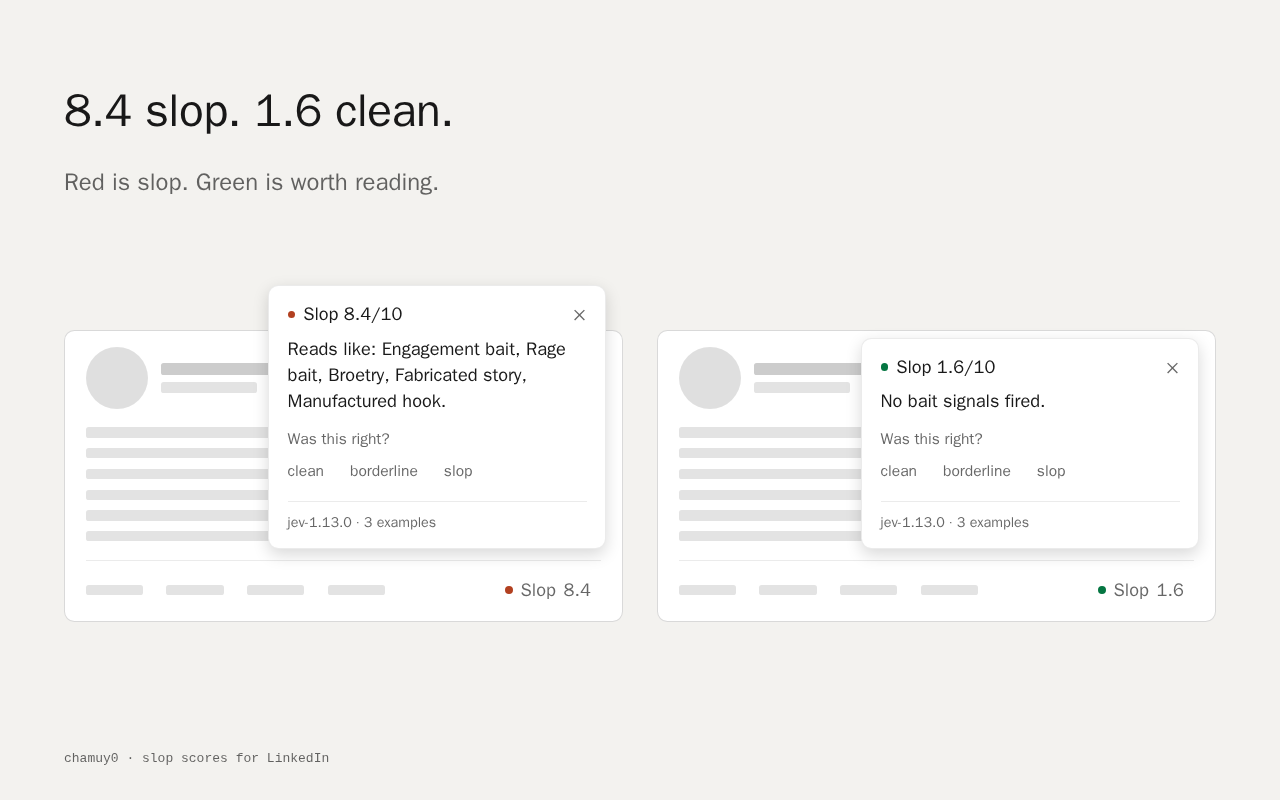
✓ 1.6 clean, ≈ 3.4 borderline, ☣ 8.4 slop. Posts shorter than 40 characters are skipped on purpose.
The score out of 10, the verdict, and the eight signals sorted by confidence.
Label a post clean, borderline or slop. Later classifications use your latest labels as reference.

Load the extension, open settings, paste a TypeSafe API key. It stays in your browser profile.
The text of the post goes to api.typesafe.ai to be scored. Nothing else does.
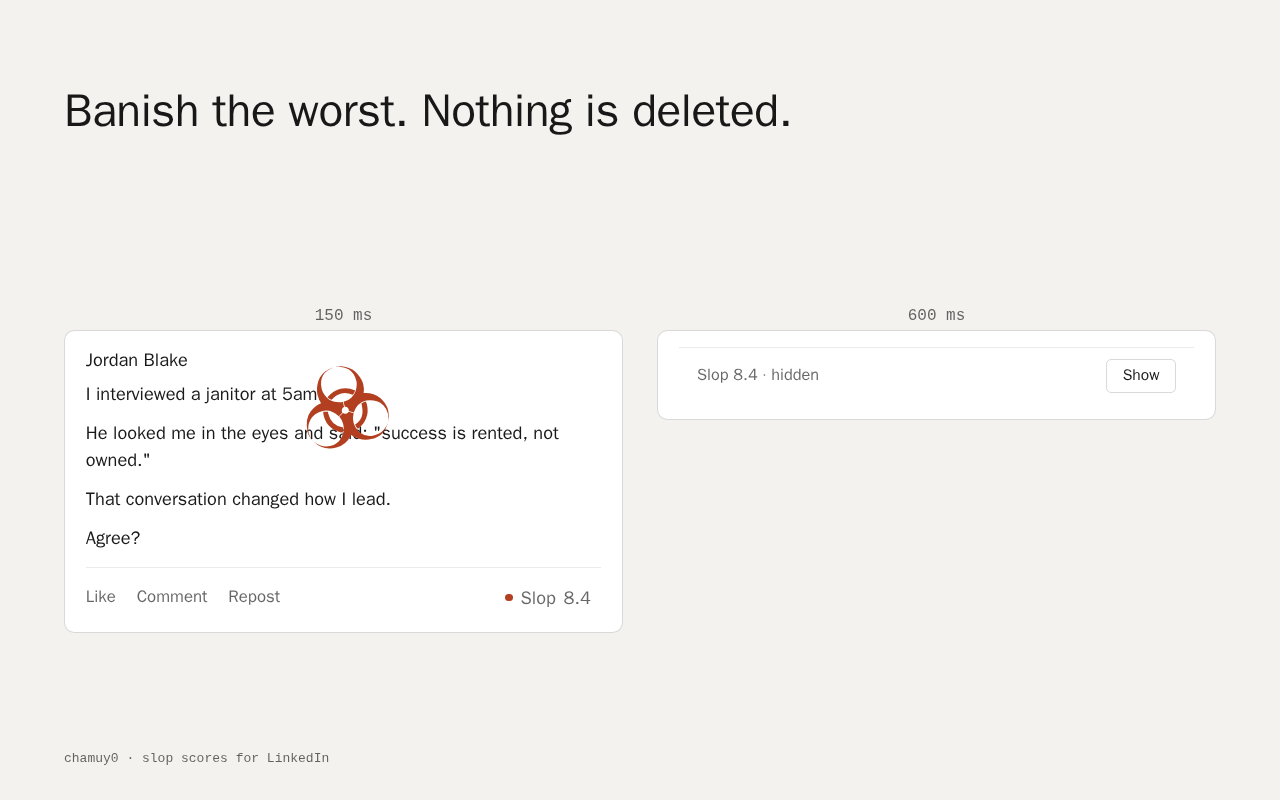
Set a threshold. Posts at or above it get stamped and folded away. Nothing is deleted.
Posts at or above your threshold collapse into a thin row: the score, the word hidden, and a Show button. Above 8 the stamp gets a ring. The layout does not jump. Every hidden post is one click from coming back.
I interviewed a janitor at 5am.
He looked me in the eyes and said: “success is rented, not owned.”
That conversation changed how I lead.
Agree?
150 ms stamp · 240 ms collapse · cubic-bezier(.2, 0, 0, 1). The same motion the extension runs, at the same speed.
Plus one score question with ten levels. The whole rubric is one file: core/rubric.ts.
Scoring runs on Jev, TypeSafe's decision model, currently in early access. You get your own key from the TypeSafe console. chamuy0 has no account, no subscription, and no server of ours to pay for.
Jev is in early access. If you cannot get a key yet, the extension installs and sits inert until you have one. Long posts cost more than short ones.
Your TypeSafe key. Your labels and the examples the classifier calibrates with. Your settings, including the hide threshold. All of it in storage.local.
The text of the post being scored, sent to api.typesafe.ai with your key. Up to six recent labeled examples ride along as reference.
No account. No analytics. No telemetry. No ads. No server of ours. Nothing posted, commented, or reacted to on your behalf.
The Chrome Web Store and addons.mozilla.org listings are in review. The release zip is the same build; it just needs a few clicks to load.
about:debugging#/runtime/this-firefox.Firefox drops temporary add-ons when it closes. Repeat steps 2 and 3. You never paste the key twice.
chrome://extensions and turn on Developer mode.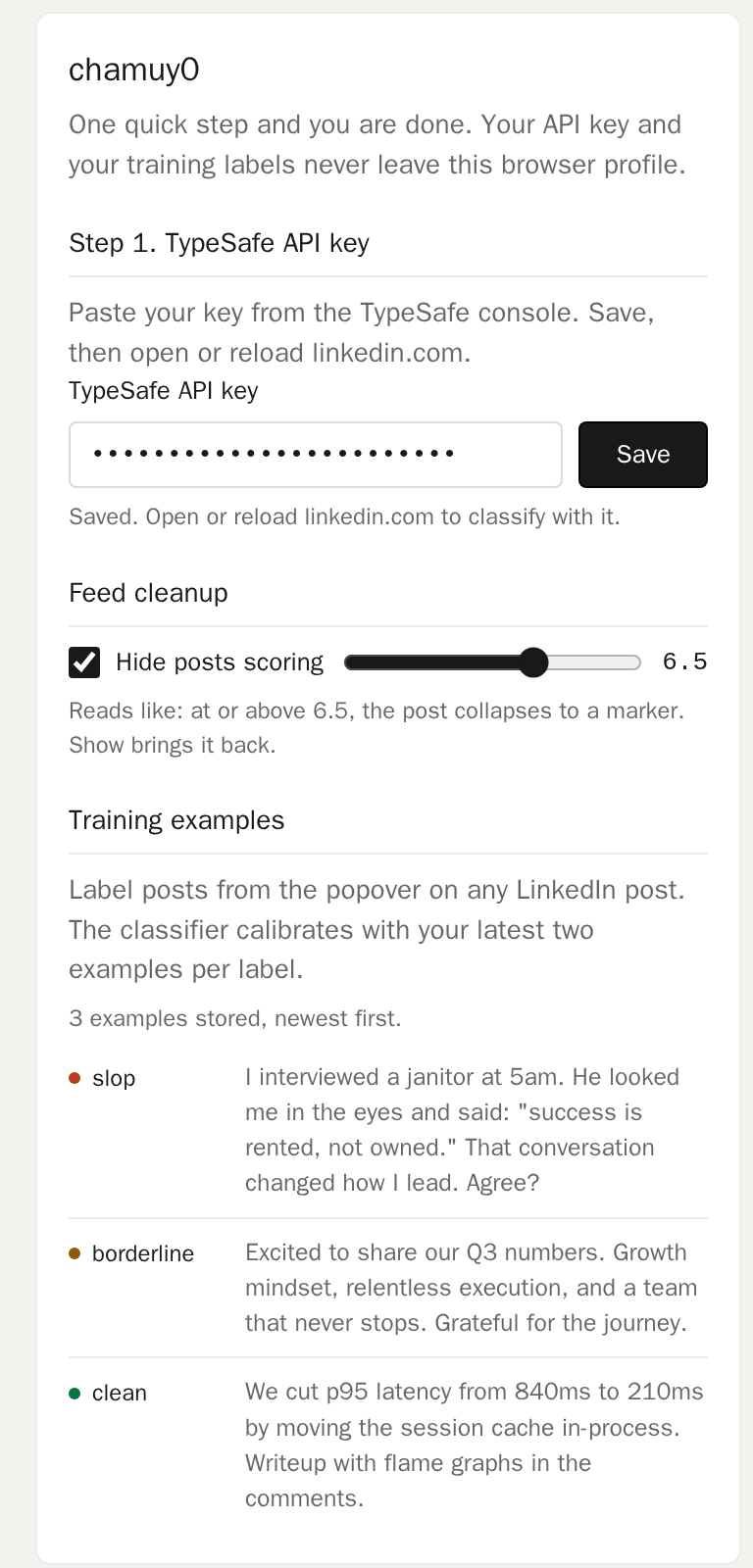
Install asks for three things: storage, linkedin.com, and api.typesafe.ai. Permissions are granted at install; there is no way to ask for less and still read the feed.
Only the text of the post being scored, to api.typesafe.ai. Your key and labels stay in your browser profile.
Jev, a decision model from TypeSafe. It returns a score and signals, not text. It cannot write or hallucinate a post.
So there is no server of ours to run, pay for, or trust with your data. The key is yours and it never reaches us.
About $0.042 per million input tokens. Roughly a cent per thousand posts. A full day of scrolling is a fraction of a cent.
Nothing is deleted. A hidden post becomes a thin marker with a Show button, and you can raise the threshold.
The Chrome Web Store and Firefox listings are in review. The zip is the same build.
Yes. Regular Firefox only keeps signed add-ons, so a permanent install means signing the zip on addons.mozilla.org (free, not public) or using Developer Edition. Temporary loading works everywhere.
Not yet.
MIT. The whole thing, including the rubric, is at github.com/tsu-ld/chamuy0.
MIT. No account. No analytics. LinkedIn only, for now.